
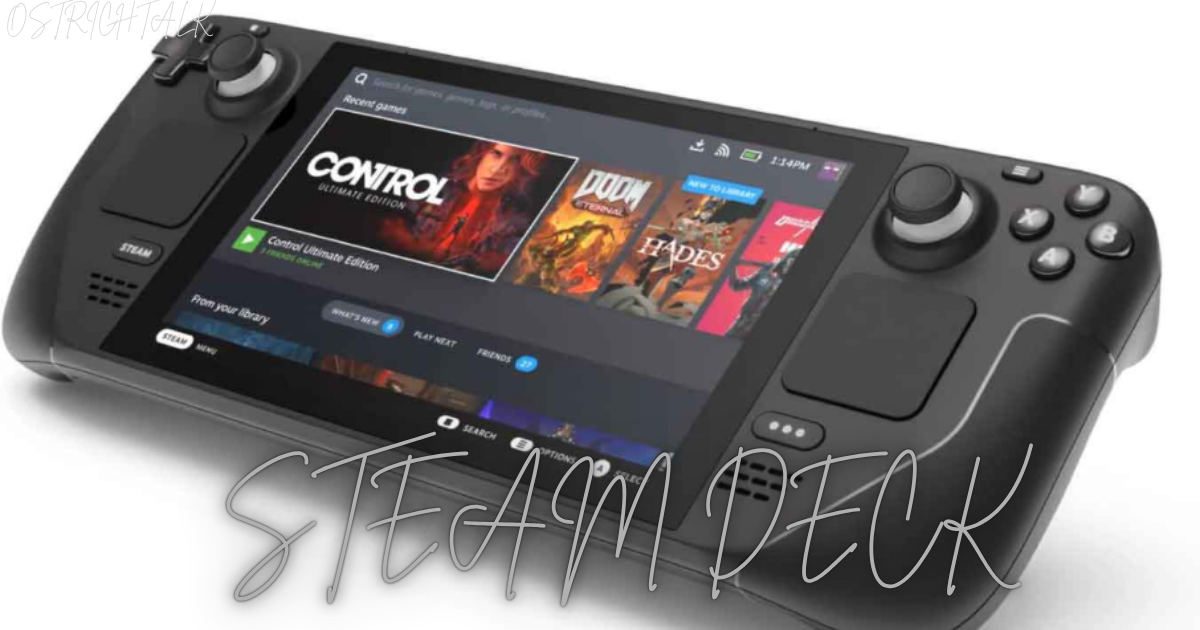
It is like playing all of your Steam library on a train, in bed or a waiting room. No cables. No bulky laptop. No alternative to what games you already own. That was a dream that was difficult to achieve for years. Then Valve sent out its handheld and the Steam Deck transformed the way millions played.
Nevertheless, there are many unanswered questions. Does it play your favourite games? What is the battery’s range? What model should you buy? In addition, does a hand-held PC really take the place of a console?
This guide provides clear-cut evidence to all of these. This course will tell you what the hardware is capable of, how to be compatible, and how to get the most out of the hardware. In the meantime, a comparison table and a quick FAQ will help you to make your decision quicker. Let’s get started.
So, what exactly is the Steam Deck and why is it significant?
This handheld was introduced by Valve in February 2022. You’re able to squeeze a whole computer for playing games into a portable casing. It does not tie you into a closed ecosystem, and allows you to play games that you already own on Steam. As a result, from the start, your library goes with you!
SteamOS is a Linux based operating system designed for gamers. A feature known as Proton enables the smooth running of Windows games thanks to a compatibility layer. Consequently, thousands of titles play without any fiddling around. At the same time the GUI is familiar for people, who used to play via Steam’s big picture mode.
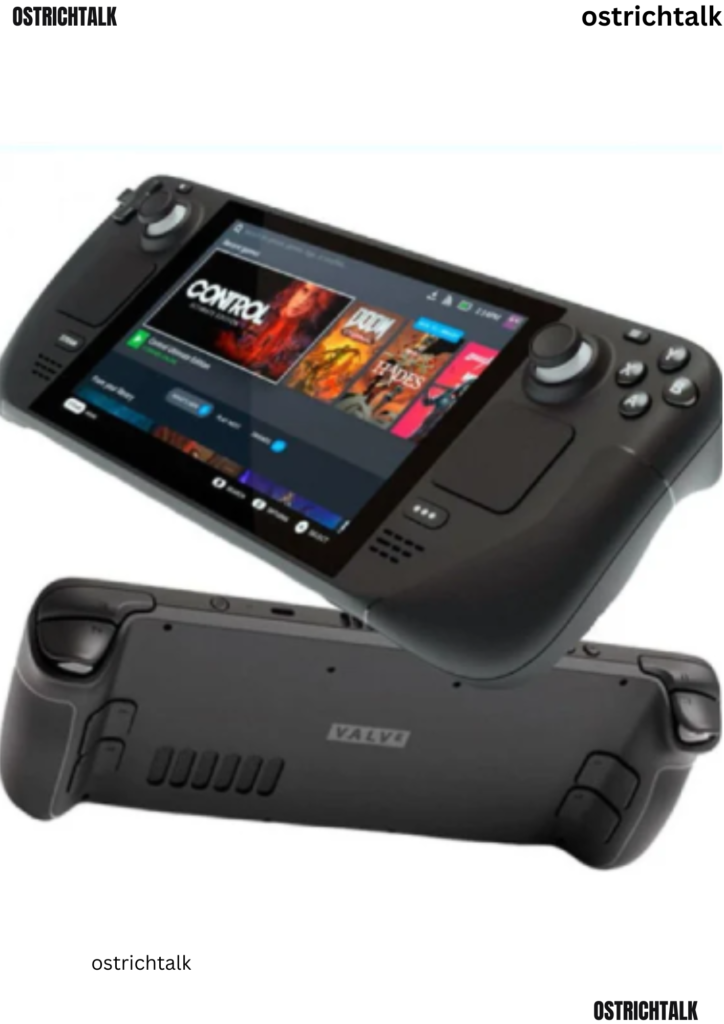
The hardware appears to be a ‘fat’ Nintendo Switch. It features thumbsticks, face buttons, triggers, a pair of trackpads and four back buttons. Plus, a touchscreen allows you to interact with menus on it, similar to the way you interact with a tablet. A special mention goes to the trackpads. It allows you to play mouse games like strategy games, with surprisingly comfortably.
Desktop Flexibility, Cloud Saves, and Affordable Gaming
It is here where the handheld really shines. It can be used as a desktop PC. Tap one button to switch to desktop, and then you can browse the Internet, install other game stores, or even run emulators. As such, it’s a console-style experience and a flexible computer all in one.
Cloud saves also contribute but they don’t make up for it. The progress is synced via Steam, making it possible to get into the game on the desk and play with the handheld. Similarly, you could play games from your desktop computer if you need the most graphics. Freedom is the whole package, and it’s the philosophy that has built a loyal fan base for Valve.
Cost and availability were a part of it. Valve wanted to make PC gaming accessible, thus providing numerous storage degrees. This meant buyers can select a model that fits their budget. In the meantime, the open design allowed modders, tinkerers and accessory makers to get in on the action. That’s because the community energy is keeping the platform lively.
What is Steam Deck? How does it work?The Steam Deck Specs & Performance Explained
Numbers are important but context is more important. Let’s unpack this specs into the games.
Its inner operation is based on a custom AMD processor. It features four CPU cores of Zen 2, eight GPUs from the RDNA 2 family. In reality, this combination works for many modern games on lower settings. Besides, it supports older and independent games without any difficulty to play at high resolution. Both models come with 16GB of quick memory to ensure smooth multitasking.
The original version has a 7″ screen, with a slightly larger screen on the OLED upgrade. They both have a resolution of 1280×800. It’s modest, but the density seems to be high on a small panel. Furthermore, the lower resolution consumes less power, as the chip doesn’t have to perform as much work.
Battery Life, Storage, Performance, and Comfort
The battery life is quite varied. Indie games are light, and can still be very long. On the other hand a challenging blockbuster will suck out the cell much quicklier. According to own estimates of the company, the duration of the original model varies from two to eight hours. That gets extended with the OLED version with the larger battery and higher efficiency display.
There are different tiers of storage and an additional microSD slot gives you extra storage. So that you can add to your library at a low cost. Fast cards load games fast and slow cards cause stutter. Buy a good brand and find out the read speed before purchasing it.
There are also performance tools, so that you can finetune each game. The quick menu allows you to set a cap on the frame rate, power consumption and enable upscaling. For instance, a 40 fps limit is more stable than a 60 fps limit and, therefore, will appear smoother. As a result, battery life is enhanced even without a significant visual impact.
Mentioning weight and comfort goes without saying! At first it feels rather cumbersome but the grips bend into a nice curve as you hold it. Furthermore, the OLED model weighs a bit less, making it easier during long sessions. Built-in Wi-Fi and Bluetooth for seamless wireless connectivity with headphones and controllers. Plus, you can also use wired audio if you like, as the headphone jack is functional.
Lastly, the fan is quiet in most circumstances. If you’re playing a game that’s louder than usual, it will be heard, but not usually be too loud. Overall performance is excellent for its size, with software updates adding to this.
What are the best games for the Steam Deck?
It’s all about compatibility, so Valve has developed a rating system. All games found in the store are adorned with a badge. The badge indicates whether or not it functions well on the handheld. The four labels make your choice easier.
- Verified: Great play and controls are natural.
- Playable: The game is playable, but there may be minor changes that need to be made or a keyboard to get set up.
- Unsupported: The game is not supported yet.
- Unknown: Valve has not tested the game.
Be sure to inspect the badge before purchasing. Keep in mind however, badges are a reflection of the testing done by Valve, not your personal taste. While some Playable games run flawlessly after you make one adjustment to settings.
Best Games, Compatibility, Streaming, and Accessories for Steam Deck
Some genres make fun of this hardware.Some genres highlight this hardware. Platformers, turn-based RPGs, roguelikes and indie hits fit the bill. In the same way, old classics are powered with lots of battery and crank up the heat. However, big modern shooters and open world epics run at lower settings and many look great.
Extra care should be taken in multiplayer games. Displays that include anti-cheat software that blocks against Linux-based systems exist. As a result, some of the more popular competitive games won’t run. Review community reports and the official badge before buying an online game.
If you don’t need to use the store, then desktop mode opens doors. Other store launchers can be installed and non-Steam games will be added to your library. There’s also the community tools that aid in mod and compatibility management. It’s best for beginners to begin at the start of the page. For those who are experienced, they can take their time to explore the rest.
Another way is streaming. The handheld can be hooked to your home network and tasks the demanding games onto your home PC. This means that you will be able to enjoy more demanding games at high levels while sitting on the sofa. Simply keep in mind that in order to get good results, you must have a good and stable Wi-Fi connection.
Be sure to include the dock and accessories. A separate dock provides HDMI, USB and Ethernet, enabling you to play on a TV. The hand-held can also be used as a console in the living room. Many owners also purchase a case, screen protector and a faster microSD card.
LCD vs OLED: Steam Deck models compared.
It can sometimes be difficult to decide on the model. The key differences are outlined below and will help you make your decision. Note that prices are subject to change, please inquire from Valve’s store for the latest availability.
| Steam Deck Model | Screen | Refresh Rate | Battery | Best For |
| Original LCD | 7-inch LCD, 1280 x 800 | 60Hz | 40Wh | Budget-minded players and secondhand buyers |
| OLED | 7.4-inch HDR OLED, 1280 x 800 | Up to 90Hz | 50Wh | Daily players who want the best display |
| Either model with dock | Same as handheld | Depends on model | Charges while docked | TV gaming and desk setups |
| Either model with microSD | Same as handheld | Depends on model | No change | Large libraries on a budget |
The OLED version is better on nearly every measurement. It has a darker black and more vibrant colour display. In action games, the higher refresh rate appears to be smoother. Plus, the bigger battery provides a longer playing time, and the unit’s weight is slightly reduced.
Steam Deck Buying Guide: Price, Storage, and Choosing Between LCD and OLED
But it still makes sense to some buyers to see the original model. Sells for a lower price used. Additionally, it runs the same games with the same processor. Thus, if budget is the primary concern, then the used LCD is a terrific value.
Valve has since put its focus on the OLED version. Thus, it is more difficult to find new versions of the original. Therefore, consumers must be diligent with their refurbished and trusted resellers.
Think about your habits before you purchase. Play most of the time with the TV on or on the move? Are aesthetics important to you? Will you be using the device frequently for docking? Your responses are towards the correct answer. For the majority of people that play the game on a daily basis, the OLED screen and battery upgrade is worth the extra cost.
Resale value is also a factor. Both models have a decent holding value in terms of price and you can resell later if you improve. Additionally, official refurbished units come with a warranty, providing added peace of mind. Check the policy of the seller before you pay for a return.
Last but not least, consider storage. A lot of gamers make the error of thinking that games take place very slowly in a drive. You don’t need to delete and copy so frequently because there’s more space inside the drive. Or a good microSD card provides an inexpensive additional space.
If you want to maximize your Steam Deck experience, here are some pro tips.
Just a few simple habits will change your experience. Use these tips during the first week.
Limit frame rate in your frame. It helps save on battery and heat by keeping the caps low. In more challenging games, begin at 40-45 frames per second. The difference is not going to be apparent very often.
Essential Steam Deck Tips for Better Performance and Battery Life
Use upscaling. Available in the built-in scaling options, Valve will be able to render games at a lower resolution and scale them back up to make them look crisp. As a result, you will be able to perform faster without any significant loss of visual information.
Download games before you go on travels. Download titles wirelessly in the household. Enable offline mode for playing anywhere. In a similar way, upgrade your games before going on a lengthy trip.
Manage your storage. Transfer big games to microSD. While you’re at it, store your favorites on the internal drive for quicker load times.
Learn the trackpads. Take 10 minutes to adjust controls. Community layouts can make snarky sets in a flash. In addition you can also have your own profile for each game.
Protect the screen. Attach case and screen protector. Even one drop can destroy a perfect device. Also, a low cost grip add-on can better make the sessions more comfortable for longer periods of time.
Adjust brightness. The brightness setting will cause the battery to drain quickly. Bring it inside and only take it outside in the sun.
Tips to Get the Most Out of Your Steam Deck
Use sleep mode. To stop a game at any time, press the power button. So you can continue right where you left off, even hours later.
Charge smartly. Do not use any other charger or one that is not of good quality. In the meantime, steer clear of low-quality cables that heat up or charge at a slow rate. A quality power bank will also ensure you can continue playing on long flights.
Explore desktop mode. Use emulators, remote tools and other stores. Furthermore, desktop mode provides a way to fix issues that can not be found in the main interface.
Stay updated. Valve provides regular software updates. They add features, fix bugs and enhance the compatibility. Thus, upgrade as much as possible.
Join the community. Best settings for popular games are provided in forums and video guides. This means you’ll save a ton of time experimenting and trying things out.
Above all, experiment. The Steam Deck is a game of exploration. Every single modification has something to teach you and the device soon becomes a part of your hands.
Conclusions
So, is it worth it? Yes, if you are a big time PC gamer and want to take your games with you, definitely. There is flexibility in the device that most handhelds can’t match. You preserve your library, your saves and your freedom to tinker.
The Steam Deck is best suited for the patient and curious gamer. Settings may be adjusted a bit here and there. The small touches pay off, though, in the sense of the gaming machine being extremely personal. Additionally, there are an infinite number of guides, layouts and community support.
Keep in mind, “no one device fits all. Consider games, money and habits. Then make a decision of your unhesitating heart. No matter what you choose, you’ll be a part of a community that enjoys sharing tips and cheering on great games.
Ready to jump in? Select your model, pick up a quick microSD card, and test compatibility badges of your favorite games. Then start playing. The Steam Deck could very well be the everyday gadget you’re turning to for the next year.
Frequently Asked Questions FAQs
Q1: Can the Steam Deck Play Games Without Wi-Fi?
Yes. Download your games first, then switch Steam to offline mode. Most single-player titles run fine without a connection. However, online multiplayer games, cloud saves, and some copy protection systems need internet access, so test your favorites before you travel. Download updates beforehand to avoid surprises.
Q2: How Long Does the Steam Deck Battery Last?
Battery life depends on the game and your settings. Light indie titles can last many hours, while demanding games drain the battery in roughly two to three hours. Lower the frame rate and brightness to extend playtime. A power bank can add extra hours on the road.
Q3: Can You Connect the Steam Deck to a TV?
Yes. Plug the handheld into a dock or a compatible USB-C adapter, then connect an HDMI cable to your TV. You can also pair a controller or a keyboard. Performance stays the same, so expect console-like play on a big screen. Some docks also charge the handheld while you play.
Q4: Is the Steam Deck Worth Buying for Casual Gamers?
For many players, yes. If you already own a Steam library, the handheld lets you play it anywhere. Casual gamers especially enjoy the huge indie catalog. However, if you only play a few console exclusives, a console may suit you better. Check the compatibility badge before buying anything.
